
How I Sold Out My Retreat Without Social Media
ran my first retreat in 2015 with someone else. We were lucky to get 9 women between the two of us. Last year, nine women packed their suitcases, kissed their families goodbye at the airport, and got on planes. I’m sure most of them felt like they might not even belong in the room. They got on the plane anyway. They flew in from Australia, the UK, the Yukon, and various parts of the US. They flew to Halifax in Atlantic Canada to retreat with me. ME. A former teacher turned coach/digital marketer who grew up in small town Nova…
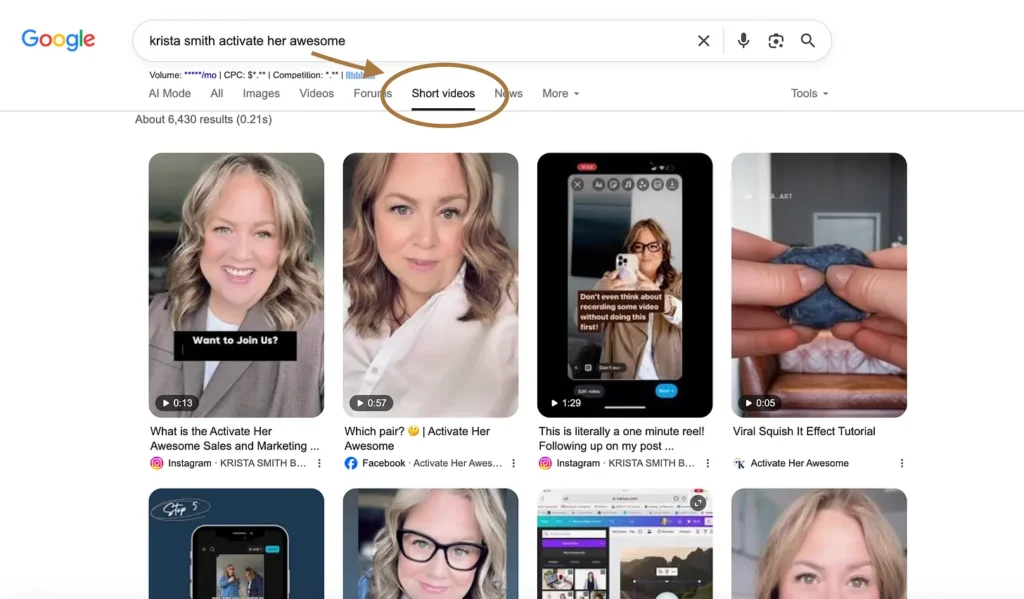
Your Social Media Captions Are Being Googled. Are They Ready?
Most women are doing one of two things when they sit down to write a caption. They’re either letting the video or the graphic do all the work while the caption says something like “save this 💕” and nothing else. Or, they’re handing the whole thing to AI and posting whatever comes out, which means their content sounds exactly like everyone else’s content. Just a heads up: neither of those approaches is going to help you get found. Here’s what most people don’t know yet: search engines are indexing your social media posts now. Google. Bing. Yahoo. All of them.…
Why SubStack Beats Social Media for Women Over 40
If you’re tired of putting time into social media without knowing whether the people seeing your posts are actually interested in your business, Substack may be worth a closer look. The big question isn’t whether Substack can get you more views. It’s whether the people who find you there are more likely to read your ideas, spend time with your content, and eventually want to work with you. So, is Substack better than social media for your business? In this video, I look at my own website traffic to see what happened when people arrived from Substack compared with sources…
I Stopped Letting AI Write For Me. Then I Wrote My Mother’s Eulogy.
I’ve been using AI for a few years now, like most of you. When ChatGPT first came out, I did what everyone did. I asked it to write my captions and emails and blog posts. I was amazed at how fast it was and how much it amplified my message. I told myself I was leveraging it. Through step-by-step tutorials, I showed my clients to do the same. Then somewhere around the end of last year, I started noticing that everything I produced was starting to sound the same as everything everyone else was producing. I started seeing my own…
Instagram Instants 101
Instagram has added another way to share photos, but this one works a little differently from your regular posts and Stories. If you’ve noticed Instants inside your Instagram messages and wondered what they are, who can see them, or what you’re supposed to do with them, this video will walk you through it. Instagram Instants are designed for quick, spontaneous photos shared with people you have a mutual connection with. In other words, they aren’t automatically shown to every person who follows you. They’re meant to feel more casual and private, and people can react or reply directly from the…
Why You’re Not Getting Clients from Social Media & How to Fix It
You’re posting. You’re making Reels, carousels and videos. You’re trying to use the right keywords, be relatable and build trust. Yet somehow, all that effort still isn’t turning into paying clients. So naturally, you start wondering what you’re doing wrong. Do you need to post more? Is your content not good enough? Should you change your branding? Have you misunderstood the Instagram algorithm? If you keep asking why am I not getting clients from social media, the problem may not be your content at all. Your posts can only work with what’s underneath them. If your offer is hard to…

The Week I Can’t Find the Words
riday is my mother’s celebration of life. I want to stand up and honour her the way I honoured my father when he passed a year ago, by telling the people who gather who she was. I have been sitting down to write it and nothing is coming. So I thought I’d start by telling you about her. Her name was Vera Mae. I called her Mom. She was one of eleven children, raised in Springhill, Nova Scotia, during the war, in a house with no indoor plumbing and a basement with dirt floors. I think about that house on Grey…
How to Create a Split Screen Conversation With Yourself
Have you seen those videos where someone appears to be having a conversation with another version of themselves and wondered how they made it? You don’t need two cameras or complicated editing software. You can create the whole effect with your phone, a tripod, and CapCut. The part that can feel confusing isn’t just putting two videos beside each other. You need to record the clips in a way that makes the finished conversation look natural. That means keeping your camera in exactly the same position, leaving room for your “other self,” and giving each version of you time to…

Why I Almost Hit Publish on a Caption That Didn’t Sound Like Me
sat down last week to write a caption for social media. I was properly caffeinated and everything. It was actually a simple one and something I’ve probably written a hundred versions of over the last 16 years. You’ll NEVER guess what I did before I typed a single word. I opened ChatGPT and Claude. What made me feel weirdly pathetic now that I think about was that I didn’t even think about it. I’ve been showing women how to leverage AI as a thought partner or idea accelerator for years. Three years ago at Social Media Day Halifax was the first time I…
She Posted One Reel a Week and Hit 40K Followers in Under One Year
If you’re anything like the women I work with, this will sound familiar: you’re watching a YouTube video on how to write better captions, then you open Canva to tweak a carousel you think you need to post, then you’re Googling “best Instagram posting strategy 2026” and clicking between tabs full of advice that contradicts itself and rewriting the same sentence three different ways because none of them feel right. You start to record a video, stop halfway through, and watch three more tutorials “to do it better” before you even try again. By 2pm you’re tired, not from doing…

You Never Know Who’s Actually Watching You
Do you have any idea how many people are paying attention to you but pretend they’re not? It happens to me all the time. I’ll be at the mall or the grocery store and run into someone I know, and they’ll stop me to tell me how much they loved something I posted last week. Five minutes of genuine praise, right there in the cereal aisle. They remembered details. They connected with it. Then the truth sinks in. They never liked it or commented. Nothing publicly, not a thing. I think about that every single time one of my clients…
How to Make Infinite Scrollable Carousels in Canva (Step by Step)
Have you seen Instagram carousels where a photo, graphic, or piece of text seems to continue from one slide into the next? Instead of each slide looking like a separate graphic, the whole carousel feels like one long design that you swipe through. If you’re wondering how to make an infinite scroll carousel in Canva, the trick is creating the design as one large image first. Then you split that design into individual slides that Instagram can recognize as a carousel. That sounds more complicated than it actually is. The part that tends to trip people up is knowing what…
Find Out Why Your Content Isn’t Getting Clients
talked to a woman last week who told me she had a full course library, three email sequences started, a content calendar she found on Pinterest, and fourteen browser tabs open and she STILL didn’t know what to do next. I wasn’t surprised because I hear some version of this almost every week. She hadn’t been sitting around doing nothing. She’d been doing a LOT. She had more strategies saved than most people will ever look at, but none of them were clicking because she didn’t actually know which part of her business was the problem so she just kept…

5 Things About Online Business Nobody Told You (But I Wish Someone Had Told Me)
I’ve been helping women build online businesses for 16 years. Specifically women over 40 who came to this later in life and are trying to figure it out without a playbook that was written for them. In those 16 years, I’ve watched the same things trip women up, over and over again. These are smart, hardworking women who are doing everything they’re supposed to be doing. The problem is that nobody told them how this actually works. I didn’t have anyone tell me either. I figured it out the expensive way. Years of doing the wrong things in the wrong…
Why Your Email List Matters More Than Your Instagram Followers
If you’re spending hours trying to grow your Instagram following because you think more followers will finally lead to more clients, this video may change where you put your time. Social media can absolutely help new people discover you. But followers alone don’t give you a reliable way to stay connected with those people. Your posts may or may not reach them, and your visibility can change every time the platform changes how content gets shown. An email list works differently. When someone gives you their email address, you have a direct way to keep the conversation going. You can…
How to Know If an Online Program Is Actually Right for You (Before You Spend Another Dollar)
Have you ever bought an online course or joined a membership because it sounded like exactly what you needed, only to stop using it a few weeks later? The information may have been good. The problem may have been that once you had a question, got confused, or couldn’t figure out how the advice applied to your business, you were on your own. A library full of videos isn’t always enough. If you’re trying to figure out how to know if an online program is worth the money, there’s more to consider than the course outline, bonuses, and testimonials. You…
She Posted One Reel a Week and Hit 40K Followers
If you’ve ever wondered, “Do I need to post every day on Instagram?”, you’re probably also wondering how anyone has time to actually run a business while doing it. There’s always another piece of advice telling you to post more, try a new format, use trending audio, improve your captions, study the algorithm, or jump on whatever strategy is working this week. Before long, you can spend hours working on Instagram without actually publishing much of anything. That’s exactly the kind of overwhelm this video addresses. It’s for women who are willing to do the work, but are tired of…
5 Things About Online Business Nobody Told You But I Wish Someone Had Told Me
If you’re posting regularly, tweaking your bio, creating Reels, and trying to stay consistent but still wondering why you’re not getting clients from social media, the problem may not be your content. It may be that you’re expecting social media to do a job it was never meant to do. For many women building an online business, social media becomes the centre of everything. You spend hours creating posts, watching the algorithm, checking views, and trying to grow your audience because it feels like more visibility should eventually lead to more sales. But being seen and getting hired are not…

Nobody Talks About the Guilt of 28,000 Photos So I’m Going to
I have a confession. I’ve been hoarding photos like someone who keeps every grocery receipt “just in case” and I finally did something about it. Not in some big dramatic purge where I spent a Saturday afternoon Marie Kondo-ing my phone. I don’t have that kind of attention span and honestly neither do you. I found something way less painful. The Real Problem Isn’t the Photos Before I get to the fix, let me tell you what I found when I actually opened my camera roll with the intent to deal with it. Instead of doing my usual thing where…

What Happens When No One Gives You The Order of Operations
Linda has been working on her business for months. She has a lot to show for it. She’s got an Instagram account where she spends hours every week thinking about or making Reels. She’s learning about hooks and captions. She knows what b-roll is now and she’s not entirely sure what to do with it but she has a lot of it. She’s been hearing everyone talk about how much they love Canva so she’s in there wandering around and wondering WTH she’s supposed to love. She’s also got a lead magnet she’s been perfecting for six weeks. It’s almost…
How to Add Multiple Linked Reels in One Reel
If you have several Instagram Reels that belong together, sending people off to hunt through your profile for part two, part three, or the next related tip isn’t exactly ideal. Instagram’s Edits app now gives you another option. You can add several Reels inside one new Reel and make each one clickable. A viewer can tap one of the smaller Reels, watch the full video, then return to the original Reel to choose another. That makes this especially useful if you create a series, have several videos on the same topic, or want to group related content together in one…
How to Record Screen and Have You a Circle Talking in the Bottom Corner
Have you ever wanted to record what you’re doing on your computer while keeping a small video of yourself on screen too? This is especially useful when you’re teaching something, answering a client question, walking someone through a process, or creating a quick tutorial. Your screen gets most of the attention, but your face stays visible in a small circle in the corner so the video still feels personal. If you’re wondering how to record your screen with your face in the corner, you don’t need complicated video software to do it. In this video, I show you two beginner-friendly…

Why You’re Not Getting Clients From Social Media
You’ve been posting consistently. You’re showing up. You’re doing everything the marketing gurus told you to do. Video, carousels, adding keywords, being relatable, building trust. And you’re still not getting clients, customers, or leads from social media. So you think: I need to post more. I need better content. I need it to look better or be more cohesive. I need to figure out the algorithm. The algorithm is not your problem. I’m going to walk you through the four real reasons your content isn’t converting, and none of them have anything to do with how often you post or…

Substack as a Funnel: How It Works With or Without a Website
One of the biggest things I see holding women back from getting started online is this idea that they need everything in place first. They think they need the website and the email platform and the opt-in page and the automation and the branding and the domain and the hosting before they can even write their first email. And honestly? That list alone is enough to make someone cry. And so they wait. They wait until it’s all figured out. Until they’ve watched enough tutorials or until they feel ready. Here’s what I want you to know: you can start…
The 2-Minute Habit That Keeps My Camera Roll Under Control
If opening your camera roll means facing thousands of screenshots, duplicates, blurry photos, and pictures you don’t even remember taking, cleaning it up can feel like a job you’ll never have time for. The problem is that waiting until you have an hour to sort through everything usually means you never do it. Your camera roll keeps growing, your phone keeps filling up, and finding the photos you actually want gets harder. There’s a much easier way to clean up your camera roll without spending an afternoon scrolling through years of photos. In this video, I’ll show you how to…

How to Clean Up Your Camera Roll
I’m going to let you in on a little secret. I am often overwhelmed and frustrated with my camera roll. Instead of doing what I usually do which is roll my eyes and ignore it, then promise myself I’ll deal with it on my next flight because what else are you doing for three hours with no wifi, this week I actually looked for a system. Why Your Camera Roll Feels So Overwhelming First, I scrolled back. Not all the way back. Let’s be honest. I’m not a hero 😂 I went back just far enough to see what was…

Introducing Tiered Support for Women Over 50
Since June 2024 the Academy has grown a lot. What started as a smaller room where most women were at a similar stage now holds women at very different points in their business. Some are still figuring out their first offer. Others are refining systems, launches, and revenue goals. Over time I could feel the gap widening. The same format was trying to serve beginners, builders, and women scaling, all in the same container. That works for a while, but eventually it starts helping no one as well as it should. So instead of guessing, I asked my members. I…
What Format Should I Use for Carousels on Instagram 4:5 or 3:4?
f you create Instagram graphics in Canva, you may have wondered: should I use a 3:4 or 4:5 aspect ratio? It’s a good question because both sizes can look perfectly fine when someone sees your post in their Instagram feed. The difference becomes much more obvious when that same post appears on your profile grid. A graphic that looked great in the feed can suddenly have part of an image, text, or design cut off when someone visits your profile. And if you’re spending time creating carousels or graphics in Canva, you probably want to know which size to start…
What’s the RIGHT Size Carousel in Canva for Instagram?
If you’re creating Instagram graphics in Canva, you may have noticed something confusing: Canva gives you more than one portrait size for an Instagram post. So which one should you use? The 4:5 vs 3:4 Instagram post size choice matters because your image can look perfectly fine while someone is scrolling through their Instagram feed, but look different once it appears on your profile grid. The two sizes Krista compares in this video are 1080 x 1350 pixels (4:5) and 1080 x 1440 pixels (3:4). She created both versions, uploaded them to a test Instagram account, and compared what actually…
How to Instantly Improve Your Captions, Emails, and Copy Results from Chat GPT With my Never List
If you use ChatGPT to help write emails, captions, or other marketing content, you may have noticed something annoying: after a while, everything starts to sound a little too much like ChatGPT. The words might be fine. The message might even be accurate. But certain sentence patterns, repeated phrases, and predictable structures can make your content sound like it came straight from AI instead of from you. One example I see often is that familiar string of short phrases: “No this. No that. Just this.” Once you notice it, you start seeing it everywhere. So, how do you make ChatGPT…
