If you have several Instagram Reels that belong together, sending people off to hunt through your profile for part two, part three, or the next related tip isn’t exactly ideal.
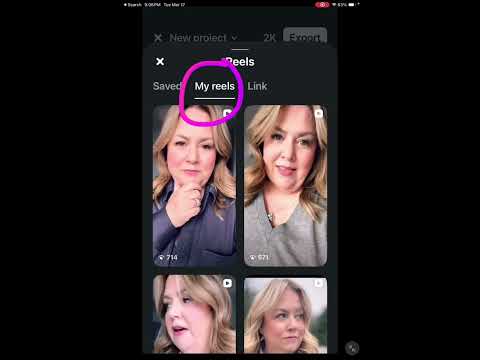
Instagram’s Edits app now gives you another option. You can add several Reels inside one new Reel and make each one clickable. A viewer can tap one of the smaller Reels, watch the full video, then return to the original Reel to choose another.
That makes this especially useful if you create a series, have several videos on the same topic, or want to group related content together in one easy place.
How to link multiple Reels in one Reel
In this video, I’ll show you how to link multiple Reels in one Reel using the Edits app, including the Instagram settings you need to turn on before the feature will work.
You’ll also see how to add your Reels, resize and arrange them on screen, adjust when each one appears, and export the finished Reel so the individual videos stay clickable. That last step matters because simply downloading the finished video and uploading it later will remove the clickable links.
I’ll also show you one slightly confusing thing you may notice when testing your Reel from your own Instagram account, so you don’t assume you’ve done something wrong.
If you’ve been looking for a simple way to connect a Reel series or help people find more of your related content without digging through your profile, this is a feature worth knowing how to use.