Do you keep your iPhone on silent and then spend ten minutes wandering around the house trying to remember where you left it?
You can use Find My iPhone, but there’s another option if you want a quick way to make your phone get your attention. Using the Shortcuts app on your iPhone, you can create an automation that responds when your phone receives a specific text message.
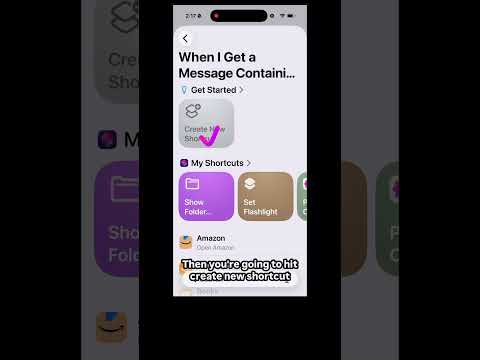
If you’ve been wondering how to find a lost iPhone on silent, this video shows you how to set up that shortcut step by step.
Make Your Lost iPhone Play Music Automatically
The idea is simple. You choose a specific phrase, such as “Lost Phone,” and tell your iPhone what to do when it receives a message containing those words.
In the video, I’ll show you how to create the automation, choose who can trigger it, set the phrase your phone needs to recognize, and have the shortcut run automatically.
You’ll also see how to make your iPhone play music, turn the volume all the way up, and switch on the flashlight. That gives you both sound and light to help you spot the phone.
This is especially handy if keeping your phone on silent is practically a personality trait and you regularly leave it somewhere nearby.
Once you’ve created the shortcut, you can trigger it by sending the chosen message from another device. You can also set it up so a family member can send the message for you.
Watch the video below to see exactly where to tap and how to set up the automation on your iPhone.